SolutionsBy audience and outcome

Shipping software that fits how you sell.

Whether you ship DTC into the U.S. from overseas, move parcels for many sellers, or run a small U.S. store, ExperShip gives you multi-carrier rates, labels, customs docs, and tracking in one place.

by audience

Four kinds of sellers, one shipping account.

The same features underneath: rates, rate shopping, labels and customs docs, tracking, automation rules, address validation, and the API. What changes is the problem you start with.

OVERSEAS ECOMMERCE BRANDSShopify stores Β· Amazon sellers

Selling to U.S. customers from outside the U.S.

the problem, in your words

β€œOur buyers are in the U.S. and we're not. Every order means another carrier website, another customs form, and a guess at which service is cheapest.”

A product wrapped in tissue inside an open mailer box

how ExperShip helps

  1. Orders in one place

    Orders from Shopify, Amazon, or your own system through the API land in one queue, ready to ship.

  2. Rates side by side

    Compare live rates from UPS, FedEx, USPS, and DHL for every order.

  3. Label and customs docs together

    Cross-border parcels get their paperwork in the same step as the label.

  4. Buyers kept in the loop

    Tracking updates flow back to the order and buyers get shipping notifications.

CONSOLIDATORS & 3PLSMoving many sellers' parcels

Every client's parcels, one shipping account.

the problem, in your words

β€œWe ship for a lot of sellers. Each one sends orders a different way, and our team spends the day switching between carrier portals and spreadsheets.”
Three conveyor belts of parcels merging into one

how ExperShip helps

  1. One account for every client

    Bring each seller's orders into ExperShip and ship them from one place.

  2. Rate shopping on every parcel

    Rules pick the cheapest service that meets your delivery requirements, order by order.

  3. Batch labels and customs docs

    Buy and print labels in batches, with customs documents for cross-border parcels.

  4. The API for your own system

    Rates, labels, tracking & webhooks, and address validation, wired into the tools you already run.

MANY SELLERS Β· ONE ACCOUNTexample data
CROSS-BORDER SELLERSShipping into the U.S. from overseas

Customs paperwork in the same flow as the label.

the problem, in your words

β€œCustoms forms, duties, de minimis changes. We just want to know what our buyer will pay and that the parcel clears.”
A container ship crossing open sea, seen from above

how ExperShip helps

  1. Customs docs with every label

    Create the customs paperwork when you buy the label, not in a separate tool.

  2. Domestic and international carriers together

    Compare UPS, FedEx, USPS, and DHL for each parcel.

  3. Addresses checked first

    Address validation catches problems before a parcel leaves your hands.

  4. Plain-English guides

    Customs, duties, and what the suspension of the U.S. de minimis exemption means for low-value parcels.

U.S. DOMESTIC SELLERSSmall and growing ecommerce teams

Domestic parcels without juggling carrier websites.

the problem, in your words

β€œEvery morning we log into a few carrier sites, compare rates by hand, and copy addresses into each one. It eats the time we should spend on the business.”
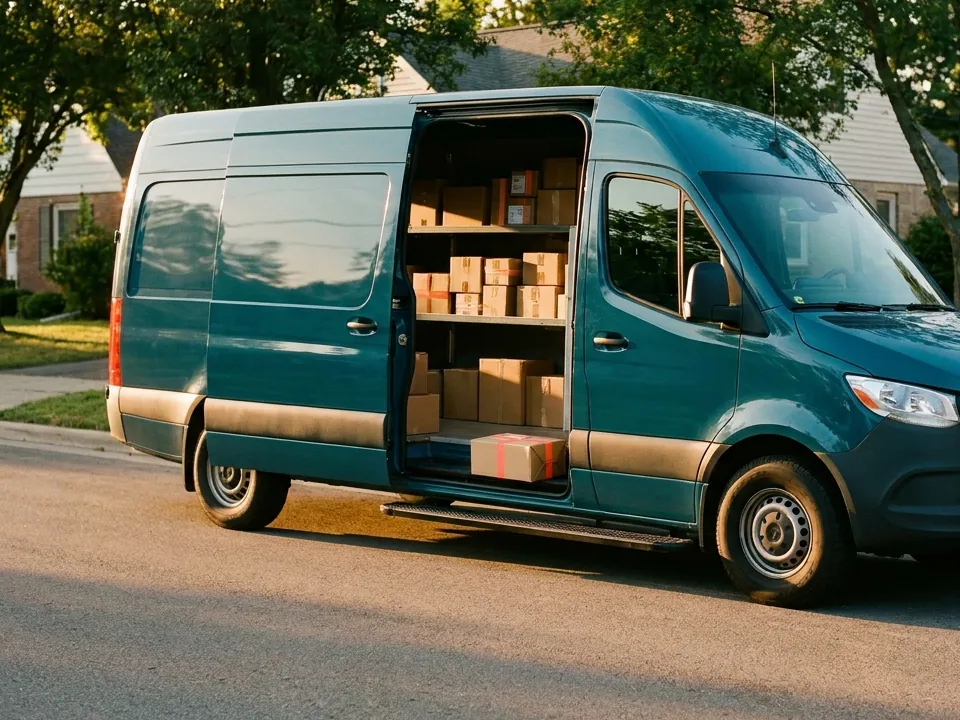
A delivery van with its side door open, shelves full of parcels

how ExperShip helps

  1. Compare rates in one view

    UPS, FedEx, and USPS rates for each order on one screen.

  2. Rules do the choosing

    Automation rules pick the right service for every order.

  3. Print a whole day at once

    Batch labels instead of buying them one by one.

  4. Fewer returns to sender

    Address validation flags bad addresses before you buy the label.

by outcome

Spend less on labels and less time making them.

Whatever kind of seller you are, most teams come to ExperShip for one of two reasons.

Acut shipping cost

Rate shop every order automatically.

How to reduce shipping costs β†’

ExperShip compares live rates across your connected carriers for every order. A rule can then pick the cheapest service that still meets your delivery target, so nobody has to check carrier websites by hand. What you save depends on your orders and your carrier accounts.

RATE SHOP Shopify #7323 Β· Philadelphia, PAexample order
Example rate comparison for one order
ServicePrice rankMeets rule
FedEx Home Deliveryselected1yes
USPS Ground Advantage2yes
UPS Ground3yes
USPS Priority Mail4yes
rule: cheapest service that arrives on time

Bsave fulfillment time

Batch the labels, automate the decisions.

How to save fulfillment time β†’

Set your shipping logic once as rules, then buy and print a whole batch of labels in one step. ExperShip handles the repeat work on every order.

AUTOMATION RULESexample rules
  • R1when U.S. address, under 1 lb then cheapest ground service
  • R2when shipping from outside the U.S. then attach customs docs to the label
  • R3when Amazon order then service that meets the delivery promise
  1. Batch labels

    Select the day's orders, then buy and print every label in one go.

  2. Automation rules

    Set the logic once. Rules pick the service and add the paperwork on every order.

  3. Address validation

    Bad addresses are caught before the label, so fewer parcels come back.

  4. Automatic notifications

    Tracking flows back to the order and buyers get updates without anyone sending them.

Start with the orders you ship today.

Connect your store and your carriers, compare rates, and print your first label. Shipping for many sellers or moving freight? Tell us about your setup.